Claude Opus 5.5
После основного прогона были дополнительные запросы: переместить причал и добавить кайтбордера.
- Среда
- Claude Code
- Режим
- High
Реальное место · Three.js
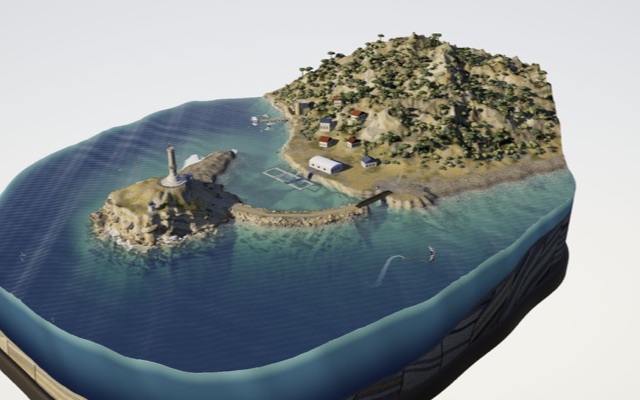
Вместо вымышленного маяка — знакомое место на Большом Утрише под Анапой. Смогут ли модели узнать его и воссоздать в диораме?
Моделям дали один промпт и возможность искать фотографии и описания в интернете. Фотографии можно было использовать только как ориентир: геометрию и текстуры нужно было создать в коде.
Откройте каждую сцену, чтобы рассмотреть её со всех сторон. Доступные сведения о моделях и режимах указаны в карточках.
После основного прогона были дополнительные запросы: переместить причал и добавить кайтбордера.
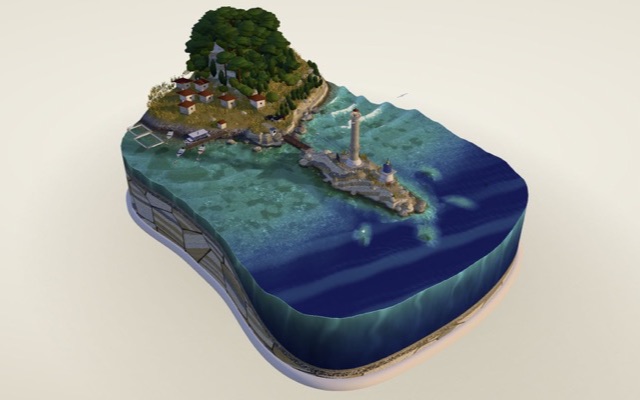
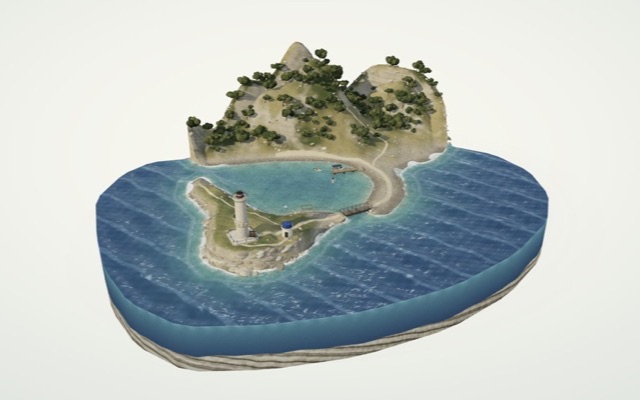
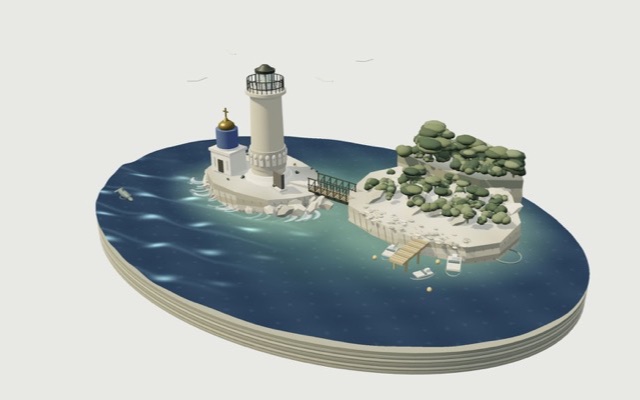
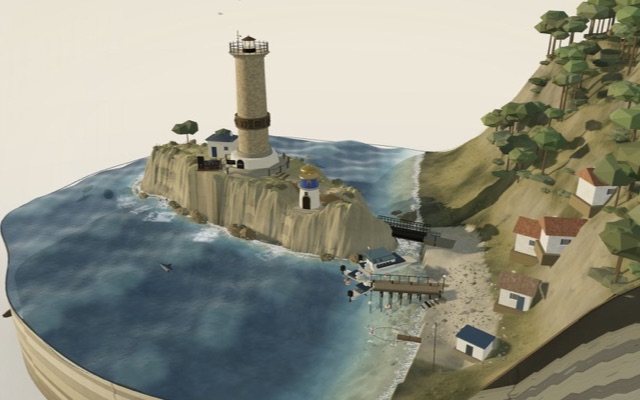
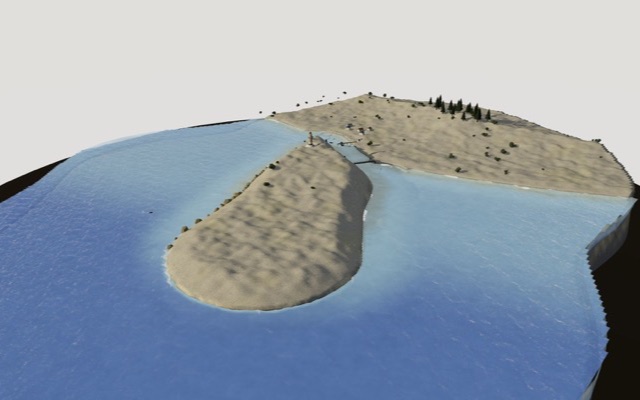
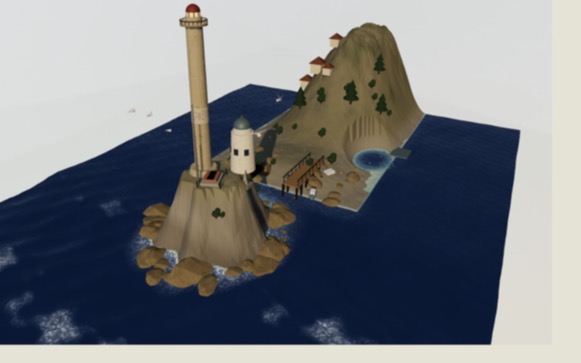
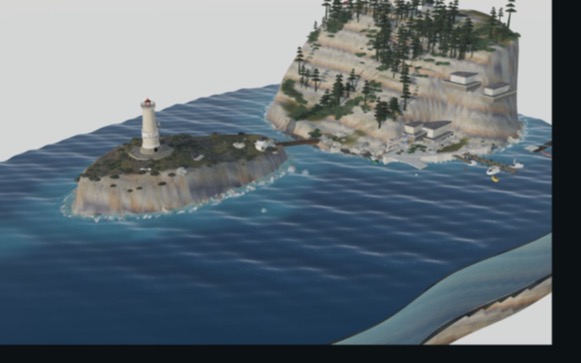
Исходный промпт одинаковый. Результат Opus дополнительно дорабатывался по запросам после первого прогона; для остальных сцен сведения о последующих правках не обнаружены.
Общее задание для всех восьми запусков, включая инструкции по поиску референсов и управлению камерой.
Build an animated Three.js diorama: THE UTRISH LIGHTHOUSE.

Recreate a real place: the Utrish lighthouse on the Black Sea coast of Russia, at the village of Bolshoy Utrish, about 20 km south-east of Anapa, at the edge of the Utrish nature reserve on the Abrau peninsula. Aim for a faithful, recognizable miniature of this specific site, not a generic seaside scene.

REFERENCE RESEARCH
Before building, research the real location online: search for and look at multiple photos of the Utrish lighthouse, the chapel, the bridge, Utrish Island and the Bolshoy Utrish cape from different angles (including aerial or drone views and satellite maps if available). Note the actual shapes, proportions, colours, the lantern design, the relief band, the bridge construction, the rock colour and how the island sits relative to the cape. Briefly list the key visual facts you found before you start coding, and use them to guide the build. Where your references contradict the descriptions below, follow the references. Use photos only as visual reference: do not download, embed or trace any images, textures or models into the project; all geometry and textures must still be generated in code. If you cannot access images in your environment, say so and work from text descriptions.

THE PLACE
Utrish Island is a small, steep, rocky island separated from the Bolshoy Utrish cape by a strait only about 20 m wide. A narrow metal bridge crosses the strait, and a footpath runs along a low causeway from the bridge to the lighthouses. The island's shores are mostly sheer rock, so nobody can walk around it at the water's edge. Geologically the cape and island are the tongue of a huge ancient landslide ("Utrish" is usually translated as "landslide" or "collapsed mountain"), so the rock should read as broken, tilted, fractured strata of light grey-ochre limestone and marl, with fallen blocks at the waterline.

On the island stand two lighthouses:
- The 1975 lighthouse-monument, about 17 m tall, designed by Anapa architect Boris Kamaev. It is a memorial to the Black Sea sailors of the Second World War. A sculpted relief band runs around the tower. Nearby is a granite slab with memorial names. Show it as a slender pale tower with the relief band, a gallery and a lantern on top.
- The low 1911 lighthouse a short distance from the shoreline, converted into the small Chapel of St. Nicholas, patron saint of sailors, with a small dome. Show it in its pre-2025 state, before the chapel's relocation began.
Keep the scene respectful: this is a memorial site.

Across the strait, the Bolshoy Utrish cape has a pebble beach, a small pier for pleasure boats, and a few moored motorboats and a small excursion boat. Behind them, the ridges of the Abrau peninsula rise steeply. They are covered in the reserve's relict, Mediterranean-looking open woodland: dark-green juniper, pistachio and Pitsunda pine, with pale rock showing through and dry summer grass. Hint at the edge of the open-air dolphinarium lagoon with its floating net pens, at a modest scale. A few small buildings of the village may appear at the edge, but keep the focus on the island, the strait and the sea.

COMPOSITION
Compose the cape, strait, island and a slice of the hillside as one irregular display piece against a soft pale background. Its cutaway sides should show the landslide geology in layers: tilted limestone and marl, pebble and gravel beach deposits, and the seabed sloping into deep water. Give the island and cape a strong silhouette, and make the piece interesting from every side.

THE SEA
The sea is the main visual attraction, and it should feel like the Black Sea: no tides; very clear, slightly green-tinted water over pebbles and rock; quickly deepening blue offshore. On the open western side, swells roll in from the open sea, steepen against the island's cliffs and fallen blocks, burst into white foam, wash over low rock ledges and drain back. In the narrow strait, the water surges and sloshes between the walls. In the lee of the island and along the pebble beach of the cape, the water is calm, with small ripples and high clarity, revealing rounded pebbles, boulders and patches of seagrass and brown algae. The colour should shift naturally from deep blue to blue-green to transparent shallows. Keep the motion coherent: the sheltered beach is visibly calmer than the exposed side of the island.

DETAIL
Give the buildings tactile detail: weathered whitewash and plaster over stone, the relief band on the tower, the lantern glazing and gallery railing, the chapel's small dome and cross, the riveted metal bridge with railings and slight rust, the memorial slab, and the pier with ropes, fenders and buoys. Use coastal vegetation sparingly: tufts of dry grass on the island, small wildflowers in crevices, junipers clinging to the cliff edges of the cape.

LIGHT
Set the scene in warm late-afternoon light, with the sun lowering over the open sea to the west, as seen from the Anapa coast: warm light on the tower and chapel, cool blue shadows in the fractured rock and the strait, bright foam and restrained, sparkling reflections on the water. A soft warm glow in the lantern room is fine. Keep the scene readable and richly coloured.

LIFE
Everything runs continuously: wave sets arrive in overlapping groups, foam disperses, boats bob gently at the pier and at their moorings, a few gulls circle over the island, and grass and juniper branches move in the wind.

Add a few wild Black Sea dolphins (3–5, bottlenose or common dolphins) swimming in the open sea beyond the island. They occasionally surface and make small, graceful leaps at varied, semi-random intervals, with subtle splashes and wakes. Vary their routes and stagger their timing so their appearances feel natural. Keep them away from the rocks, the strait, the pier and the boats, and keep their appearances occasional enough that the water stays the main attraction.

CAMERA AND CONTROLS
Give me full manual camera control: mouse drag to orbit, right-drag to pan, wheel to zoom, with smooth damping. Start with a beautiful elevated three-quarter view from the sea side that shows the island with both lighthouses, the bridge and strait, the calm beach of the cape and the surf breaking on the exposed cliffs. Keep the camera entirely under my control. H hides any interface; R resets the view.

TECHNICAL
Generate all geometry and textures in code. Use Three.js and any necessary libraries, without downloaded images or models. Deliver a compact runnable web project.

Concentrate on beautiful water, a strong composition, convincing light and recognizable fidelity to the real place. Check the result in the browser from an overall view and from a closer water-level view of the strait and the cliffs, compare it against your reference notes, fix obvious problems, then deliver with launch instructions. Avoid adding unrelated features or a testing framework.

In the finished diorama, include an accessible, unobtrusive section that:
- names the real place (Utrish lighthouse, Bolshoy Utrish, near Anapa, Black Sea) and states that this is an artistic miniature interpretation, not an exact survey;
- identifies the AI model used to create it, with its actual name and variant when known (if they are not available, say so rather than guessing);
- displays the complete prompt used to generate it, including this instruction, so others can copy it and try it themselves.
Keep this section hidden along with the rest of the interface when H is pressed.